(I write all my code with LLMs, but I still write my words by hand, so this is authentic 100% human-generated text. I had Claude put in the screenshots, though.)
Like a lot of people these days, I’m enjoying the ability to create software that’s exactly what I want. And since I’m a heavy reader, I have of course built myself an e-reader, Alkov, that’s perfectly suited for my own needs.
I’m not releasing it as open source, because there’d be no point — it’s so customized to me personally that it would probably be useless for you; and besides, you can build your own perfect app in a day or two of prompting anyway. But one of the things I realized as I built Alkov is that the real constraint in creating software these days is knowing what it is you want. And if offering my software would be useless to you, offering some of my product ideas might have some value. So, here are some of the design principles underlying my app.
Everything is fully synced
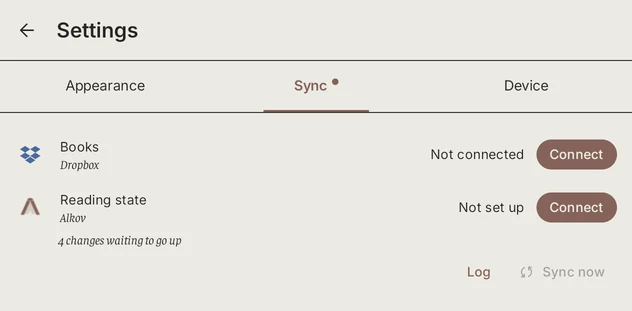
So I’ve got my dedicated e-reader, right. It’s where I read by preference, with the e-ink screens, page turn buttons, good screen size, and lack of distraction.
But I don’t always have my e-reader. Sometimes I just have my phone on me, and when I do, I still want to read a book — and I don’t want to spend any time trying to figure out where I am on the other device. This is something I’ve struggled with in the past: I refuse to use DRM-laden proprietary systems, so I could never use Whispersync on the Kindle or the Kobo/Nook equivalent. I actually got away from e-ink devices entirely until I found KOReader, which let me sync reading progress across both Kobo and Android devices.
But KOReader only synced progress. If I started a new book on one device, I couldn’t continue it on the other device until I manually downloaded it there, and this friction often kept me from reading books on my phone. Suboptimal!
So an explicit design goal here, one of the most important ones, was that everything should sync — consistently, quickly, and completely. My whole library is synced via Dropbox, and all stats and reading progress are synced up via a custom server. When I start a new book on one device, it instantly becomes the book I’m reading everywhere, without any delay or fuss.
E-ink and phone should be similar, but need slightly different UIs
Apps that are designed for phones tend to suck on e-ink, because they have animations and shaded backgrounds and scrolling-based interaction patterns that are all smooth and elegant on a phone’s OLED display, but which are awful on e-ink. On the flip side, something like KOReader, which is designed for an e-ink native display, looks clunky and limited on a phone.
My goal here was to have an app that maintained a fundamental design, but which made sensible changes based on screen technology. E-ink lists are paged, while phone lists scroll; e-ink UI elements generally have a white background and snap into existence with no animation; phone UI elements use color in backgrounds and animate smoothly into existence.
Fun fact: I actually thought that I wouldn’t be able to use color for text on e-ink, because Kaleido’s color resolution is so low. But somewhat to my surprise, I found that colorful text and UI elements actually worked just fine.
“Up next” and the Library are two different things and need different UI
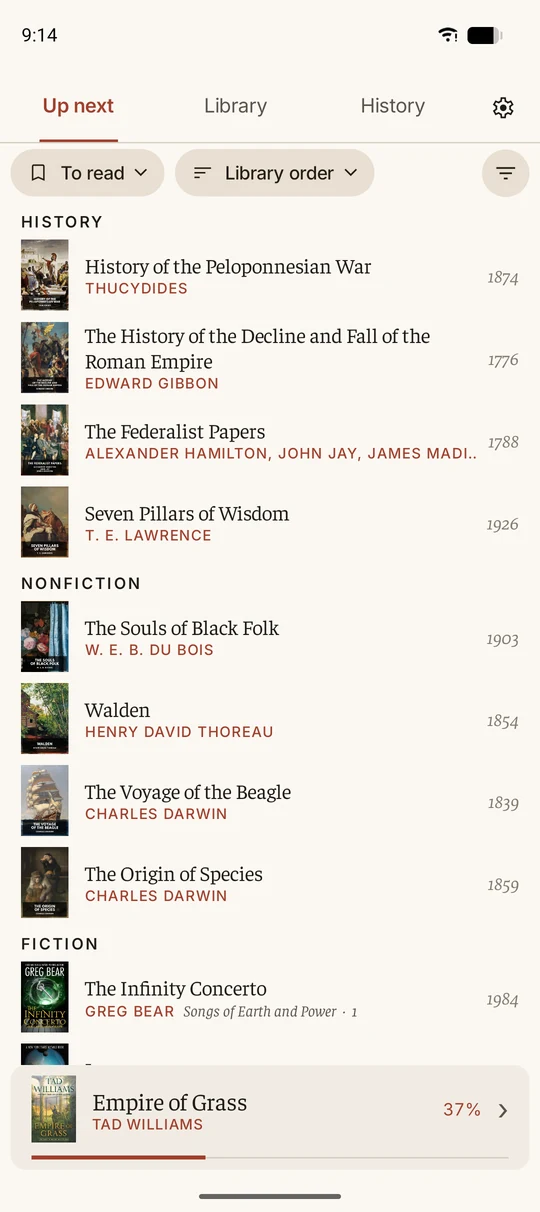
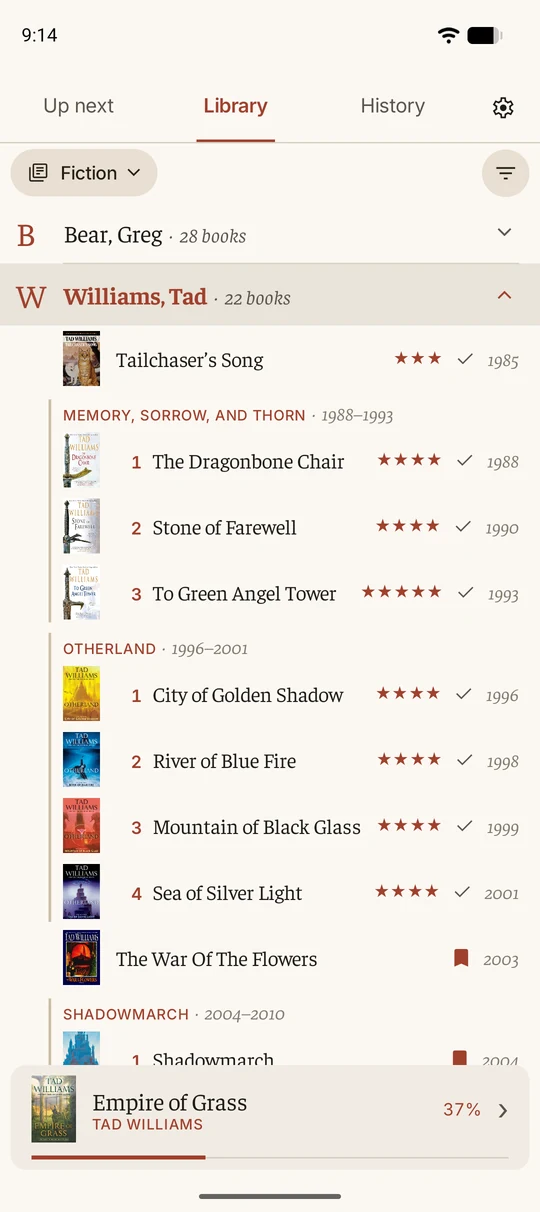
This has always been frustrating to me on other readers, because it’s clear what I want:
- “Up next” is my list of books I want to read soonish, which I’m going to scroll through and choose from. It’s a relatively small number of books, most of which are unread. It should be displayed in a flat way, with all the information about the book shown, and sorted reasonably (including sorts like “which books have I added most recently” so the book you just bought and want to read immediately will be right on top).
- The full Library contains every book I have. This is going to be a large number of books, so it needs to be arranged hierarchically, and preserve structure within a grouping. The UI isn’t completely different from the “Up next” view, but it’s not the same, either.
Fiction and nonfiction browse differently
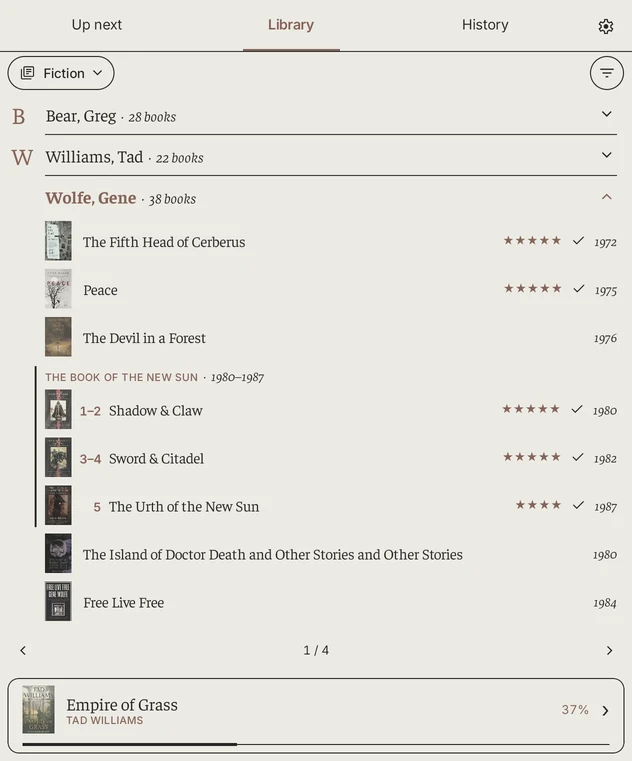
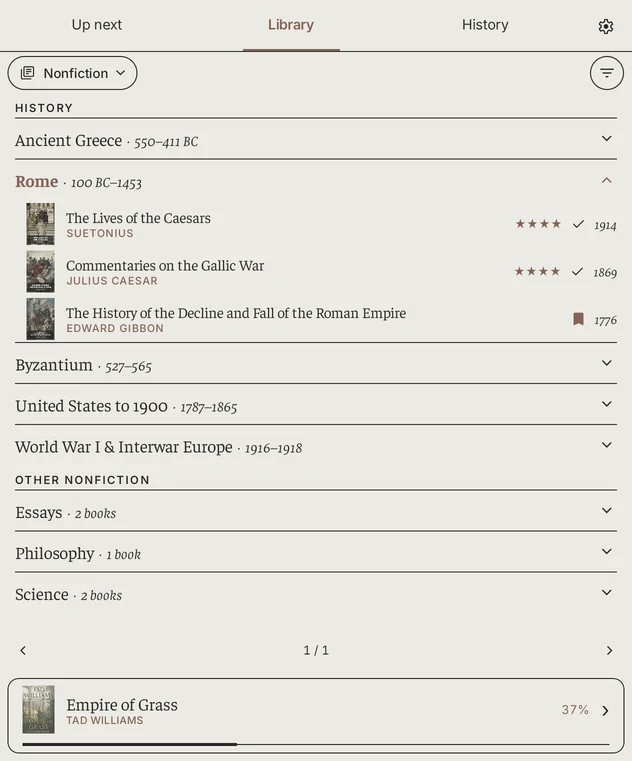
This is one of those things that sounds weird at first — who would set up two totally different browsing systems for fiction and nonfiction books?!?
But the answer is: Every librarian ever. If you’ve ever been inside a physical library, you know that the fiction shelves are maybe lightly arranged by genre, but mostly are arranged by author. Nonfiction, meanwhile, has a whole elaborate system for organizing it by subject.
For Alkov, I’ve kept it simple. Fiction is sorted and grouped by author. Within an author, books are sorted by publication year, except where there’s a series that overlaps with other books — everything inside of a series sorts together. (Why publication year? Because it’s a lot closer to what I want than a title sort. I want to see which books were an author’s early ones and which are from their decadent late period. I want to know that if there are two series that seem related, one of them was clearly written first.)
For nonfiction, I’ve optimized for the genre I read the most, history. I give books periodized metadata with rough dates, and I group and sort them appropriately. Other nonfiction just gets lumped together with no special handling, because I don’t read enough of it to need anything else. (But you might; a Dewey Decimal or LoC system probably makes more objective sense here.)
I want stats
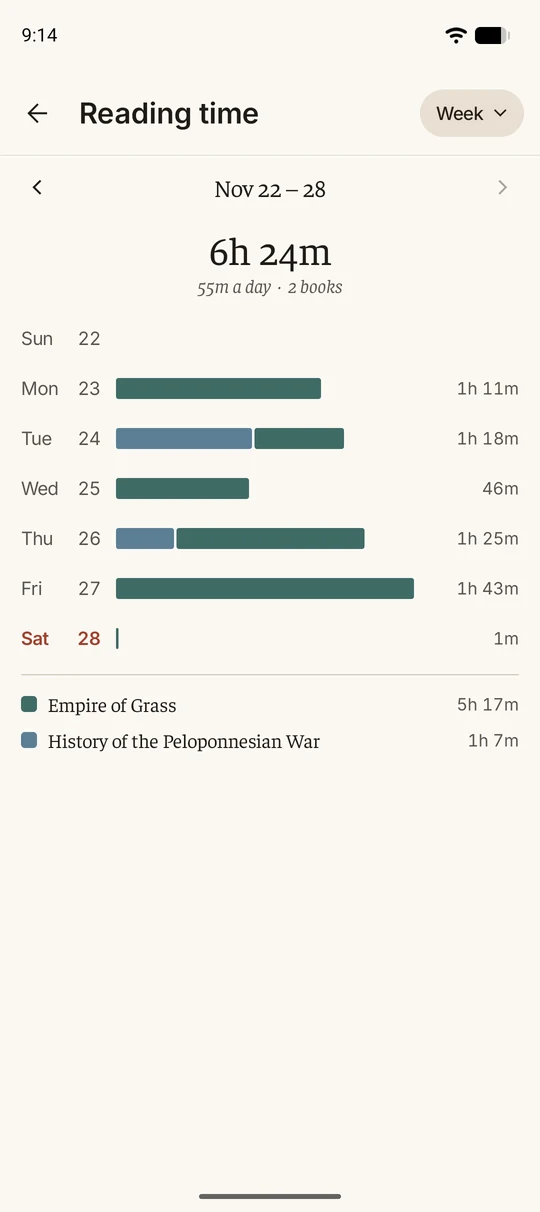
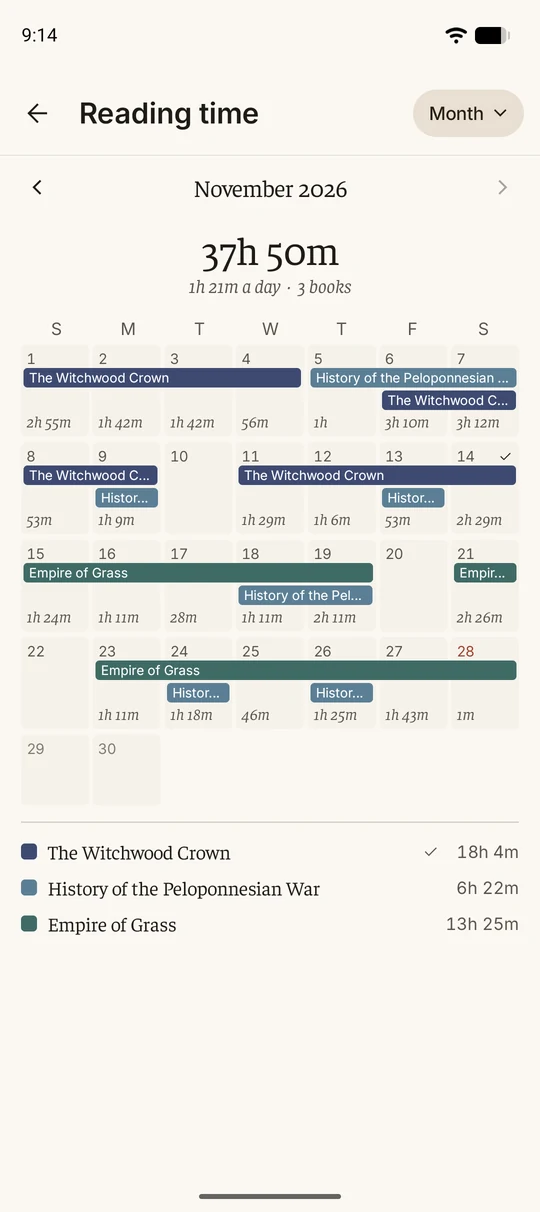
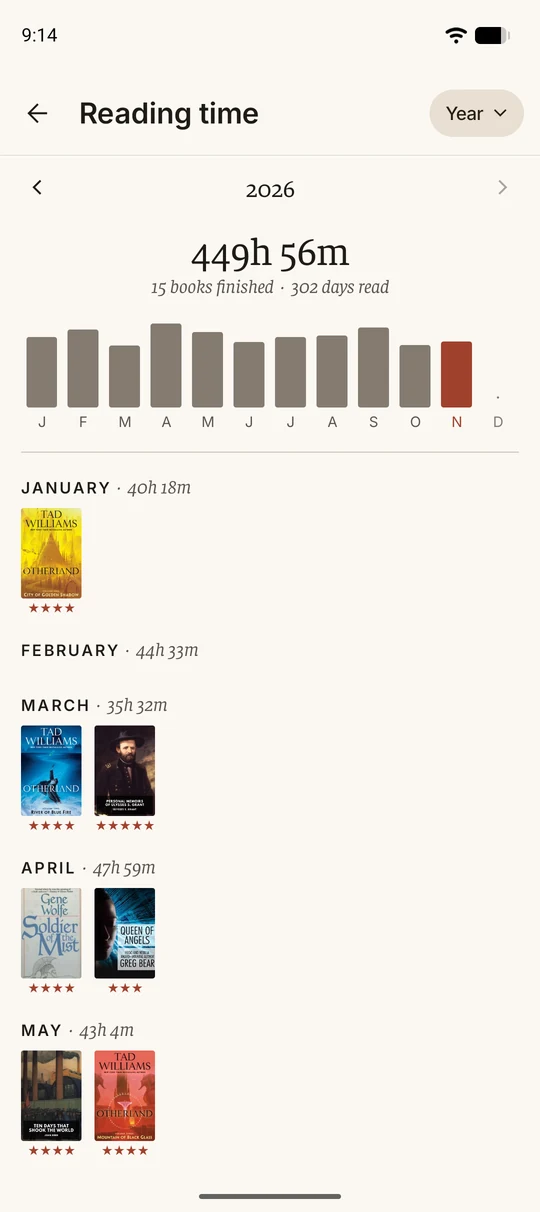
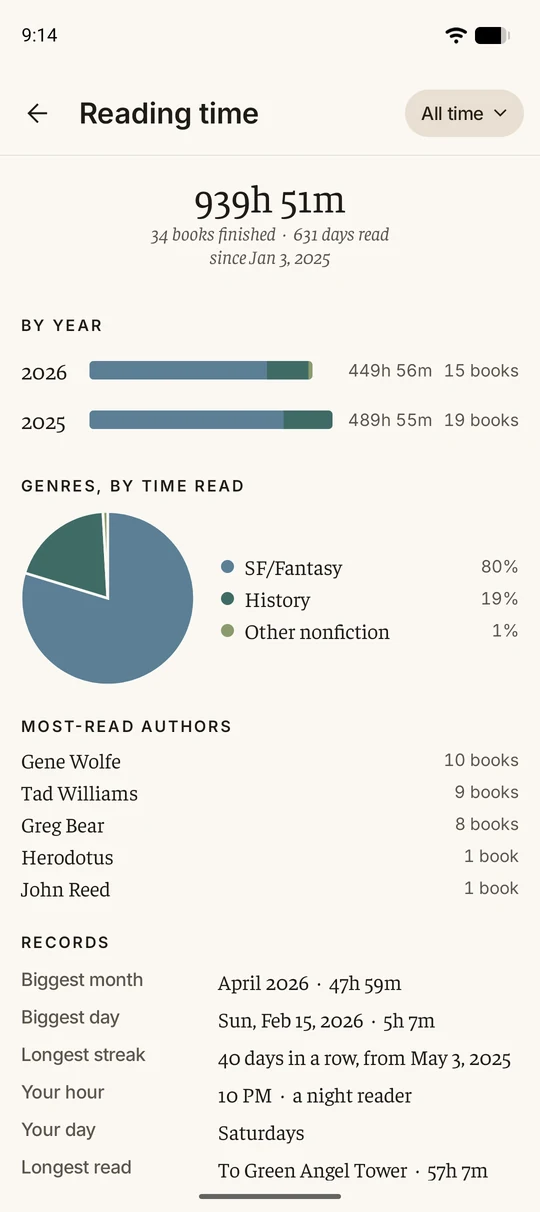
This was an insight from KOReader: It has this interesting stats display that shows you various views of what and how much you’ve been reading. I turned this into week/month/year views that showed only the information I cared about, and an “All time” view with more fun stats.
A visual representation of reading progress
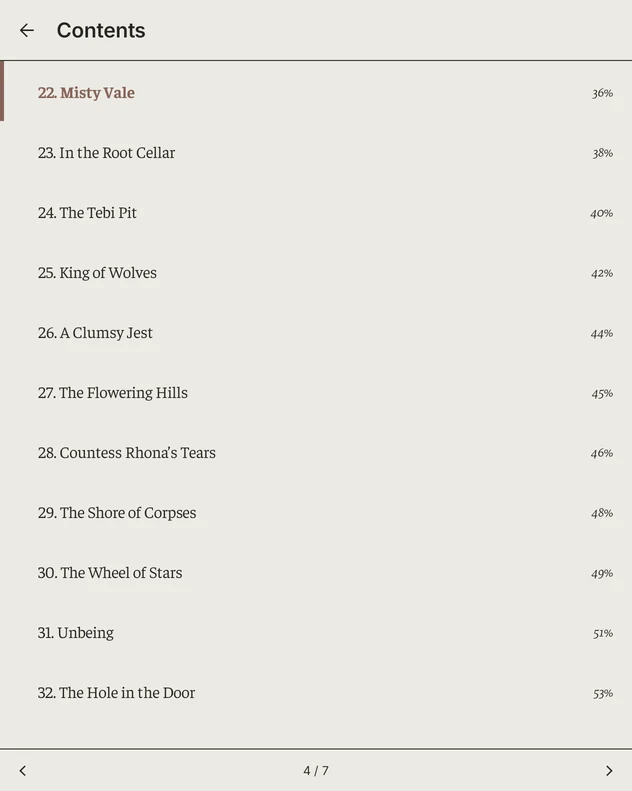
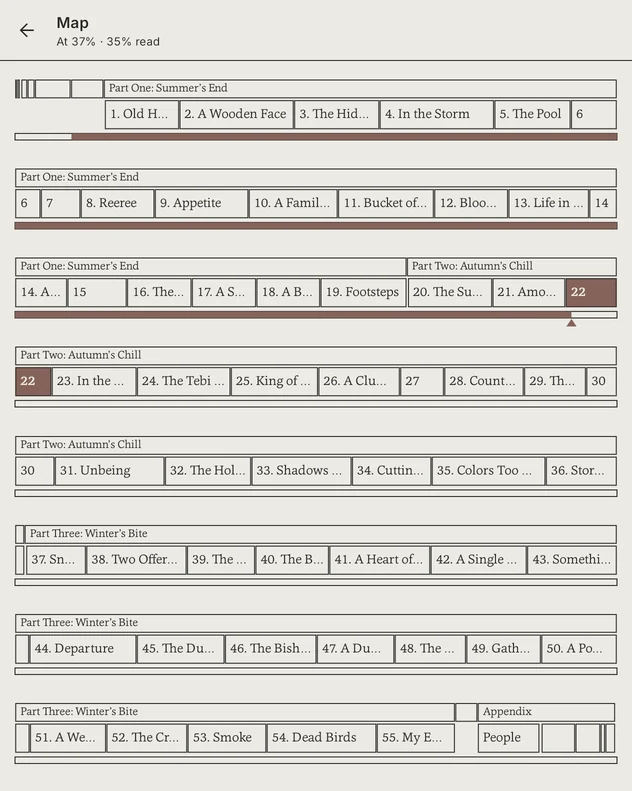
Another KOReader inspiration: Tables of contents are all well and good, but a visual representation of a book’s structure and my progress in it is even better.
Nothing I don’t need
This is where the opportunities of personalization come into play the hardest (and is why this app is unsuitable for anyone else’s use): I get to remove a ton of UI complexity and overhead by just pulling out features I don’t personally care about.
For instance: I don’t need a font picker. I know what default reading font I want, so it’s just hard-coded. Similarly, I don’t need settings for justification: I always want left justification, lock it in.
This goes into larger capabilities, too. I only support Dropbox for library syncing, because that’s all I use. Conceptually, it’d make a lot of sense to make a configurable interface that could work with Google Drive and iCloud and OPDS and whatever else. But I don’t use those other services, and they’d add complexity, so they’re not here. Or what about defining words on long press? I’ve never used this in my life, and I’m not going to build in a pointless feature, which frees up long press for other uses.
On the format front, I don’t want anything other than EPUB. I don’t have any legacy MOBI/PRC/whatever files, CBR/CBZ needs a different reader with a whole different UI, and PDF needs yet another different UI to be tolerable. So even though the rendering library I used supports all those formats by default, I pulled them out and stripped it down to just the essentials.
Need a library management app for my desktop
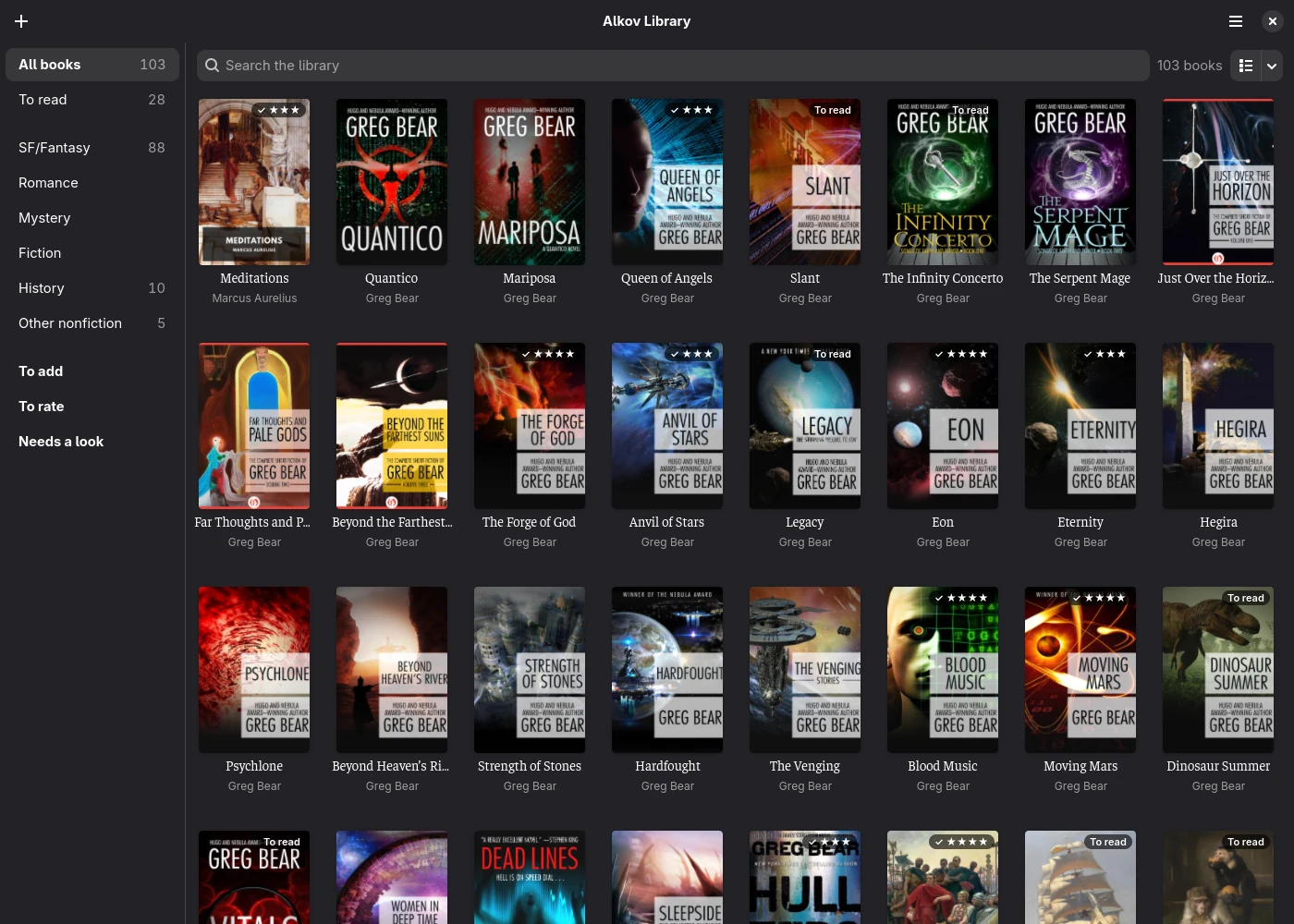
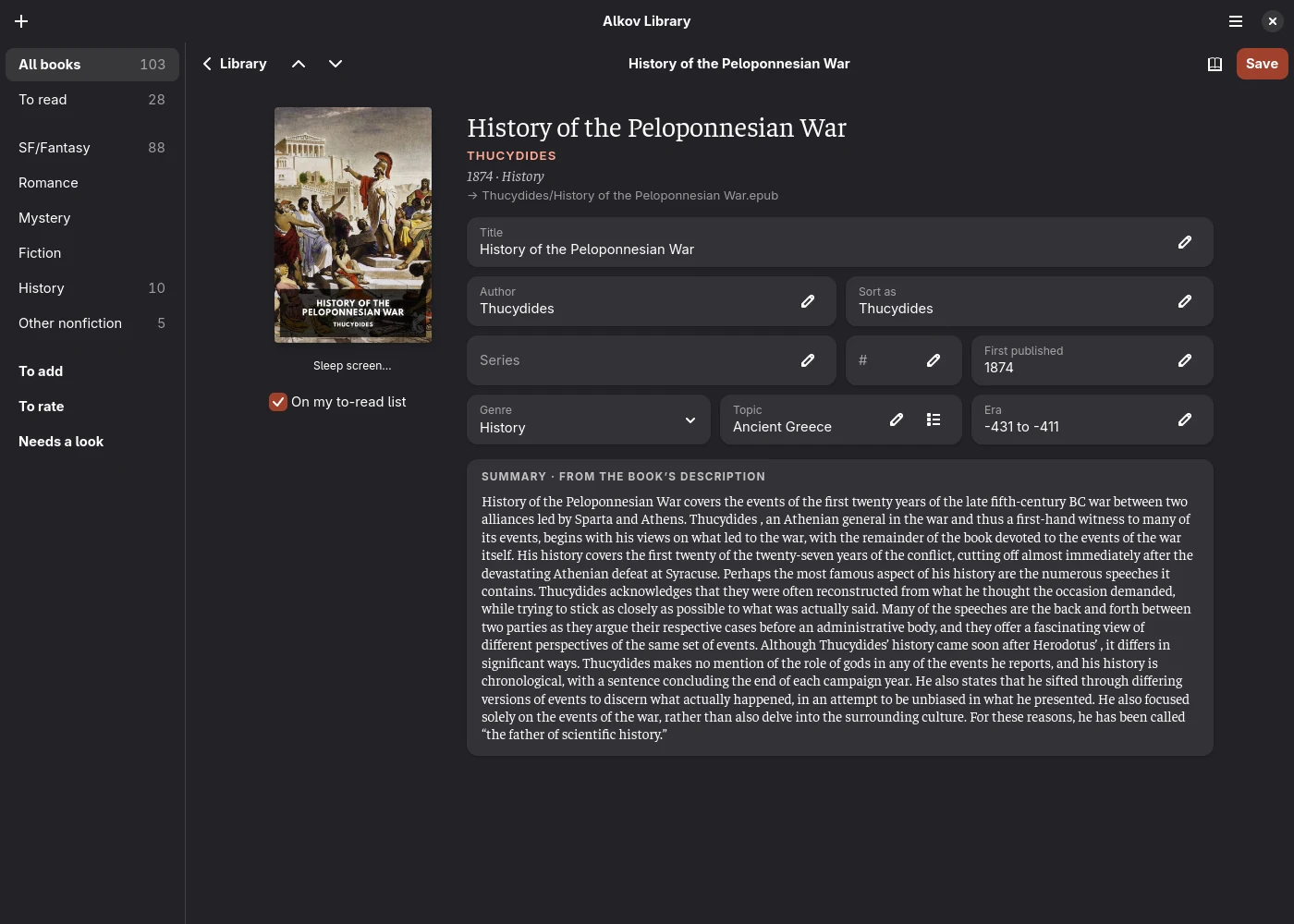
Because this app is driven entirely by metadata, including weird custom metadata for history books, I need a library manager for adding new books and managing that metadata. And management to me means desktop. As a Linux user, I built this as a native GNOME desktop app. Writing the desktop app in Electron would enable it to be easily cross-platform, but I don’t care: I use Linux and GNOME, so I can optimize for my experience.
Covers matter, and need some thought
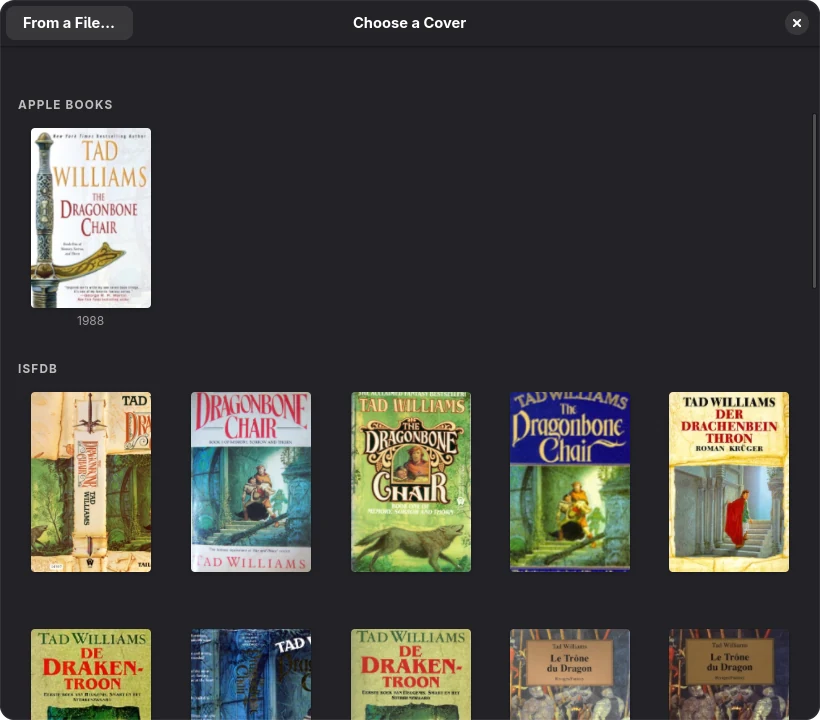
Covers obviously show up throughout the app, but maybe most importantly, they show up on the e-ink reader’s screen when it’s turned off. I care a weird amount about covers, especially for books where I owned a particular edition on paper, so I added in a browser to pull covers from a number of online databases, as well as providing an interface for Claude to find specific covers on the web or — failing all else — for me to manually paste in a cover.
In-app updates are huge
When I first released this app, I kept manually downloading new versions and installing them. This turns out to be a giant pain; building automatic update functionality directly into the app was huge, and made it frictionless to release new versions (and to ensure that every device was running the latest version).
Social sharing
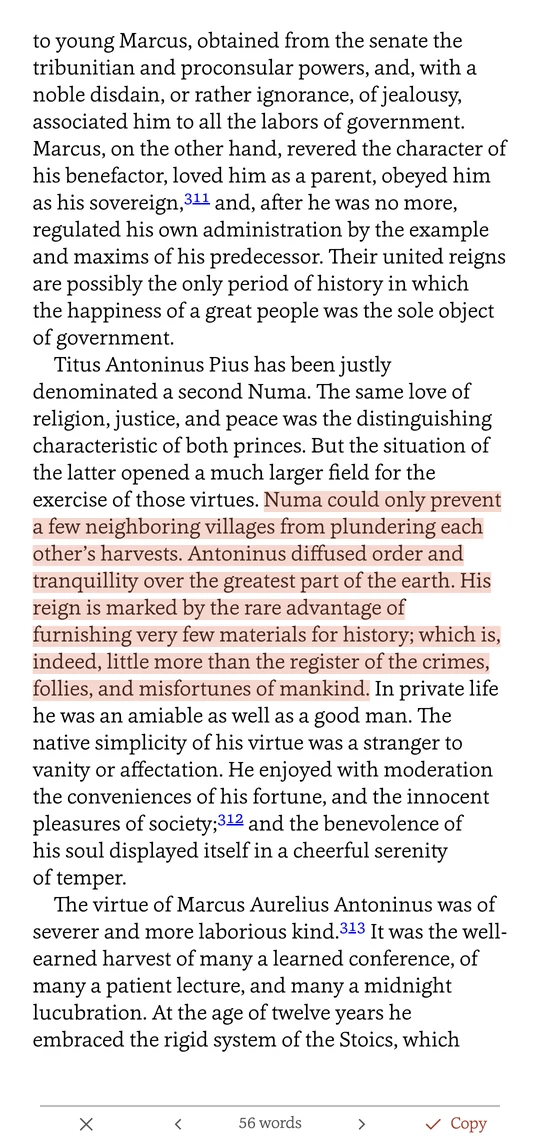
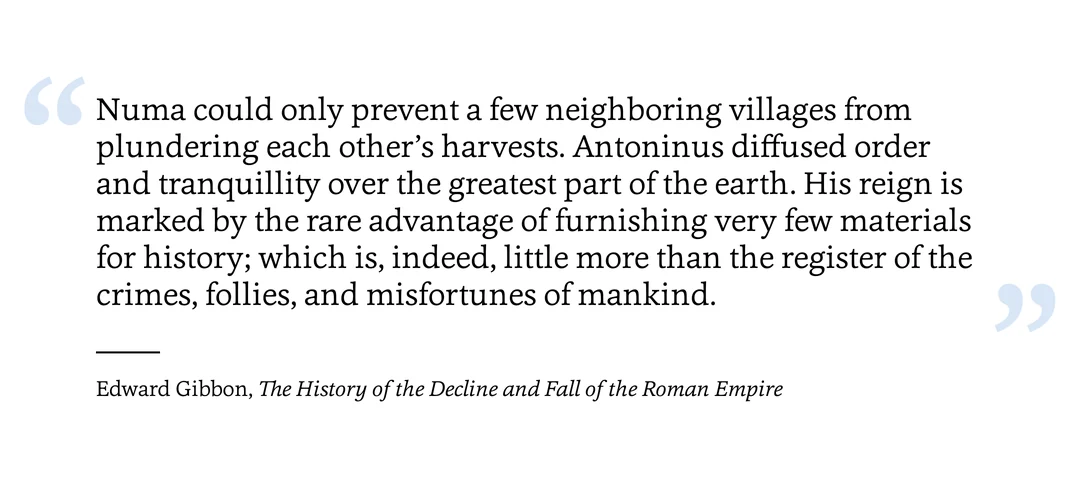
When I find a particularly amusing/insightful quote, I like to screencap it and share it with friends. This is sometimes annoying if the quote spans pages, and my personal reading settings aren’t really optimized for social sharing. So I built in functionality to highlight passages and copy them to a nicely formatted image that gets put onto the clipboard.
Technology basics
Beyond all the fun user-facing features, you do need to think about the tech basics. Here are some of the decisions that I made; you might make different ones, but at least you’ll be thinking about them.
-
E-ink device support. I went with an Android reader (the Onyx Boox Go Color 7 Gen II) here for three big reasons. The first is that Android is explicitly designed to run third-party applications, so there’s none of the fuss around jailbreaking or whatever else: You’re just installing an app onto a device that was intended to run arbitrary apps. The second is that EPUB is a weblike technology, and the best rendering for it is on devices that have a browser. The third is that Dropbox support is annoying if you don’t have a way to do OAuth integration with it; that’s easy on Android, hard on a low-level platform.
-
The server component runs as a Cloudflare Worker. I’ve found that Cloudflare is a great place to host this kind of personal stuff: They have a generous free tier, deployment is easy, and Claude knows the APIs well.
-
For EPUB rendering, I grabbed foliate-js. This is a straightforward library that works well, is customizable, and has a friendly license. I ended up pulling its code directly into the app so that I could customize it to handle edge cases that it didn’t work with well in the upstream. (I read with big fonts, and lots of standard rendering needs overrides to look sensible with large type.)
-
If you don’t want to lose all your stuff, you’ll want to think about backups and security. My biggest thing for security was only giving the apps a read-only scope for Dropbox: They can’t write to or modify my library at all; only the desktop Library app can do that (and it does it with local filesystem access, relying on the native Dropbox sync to pull the changes back). The sync data benefits from Cloudflare backups for short-term problems, to which I’ve added long-term backups to give me months of safety, in case there’s some kind of more subtle corruption that creeps in.